
Skip to content

AI assistant for restaurants, hotels and shops

The AI assistant that knows your working day.

Staff Wing brings your schedule, hours, tasks, knowledge and operations together – and gives you an assistant that answers from your own records and helps you follow through.

  • Ask about shifts, tasks, stock or sales and get answers from your records
  • Let the assistant create tasks and shift drafts – you stay in charge
  • The whole team on the same app, on phone and computer

From DKK 750/month excl. VAT · All features included

  • Download on the App Store
  • Get it on Google Play
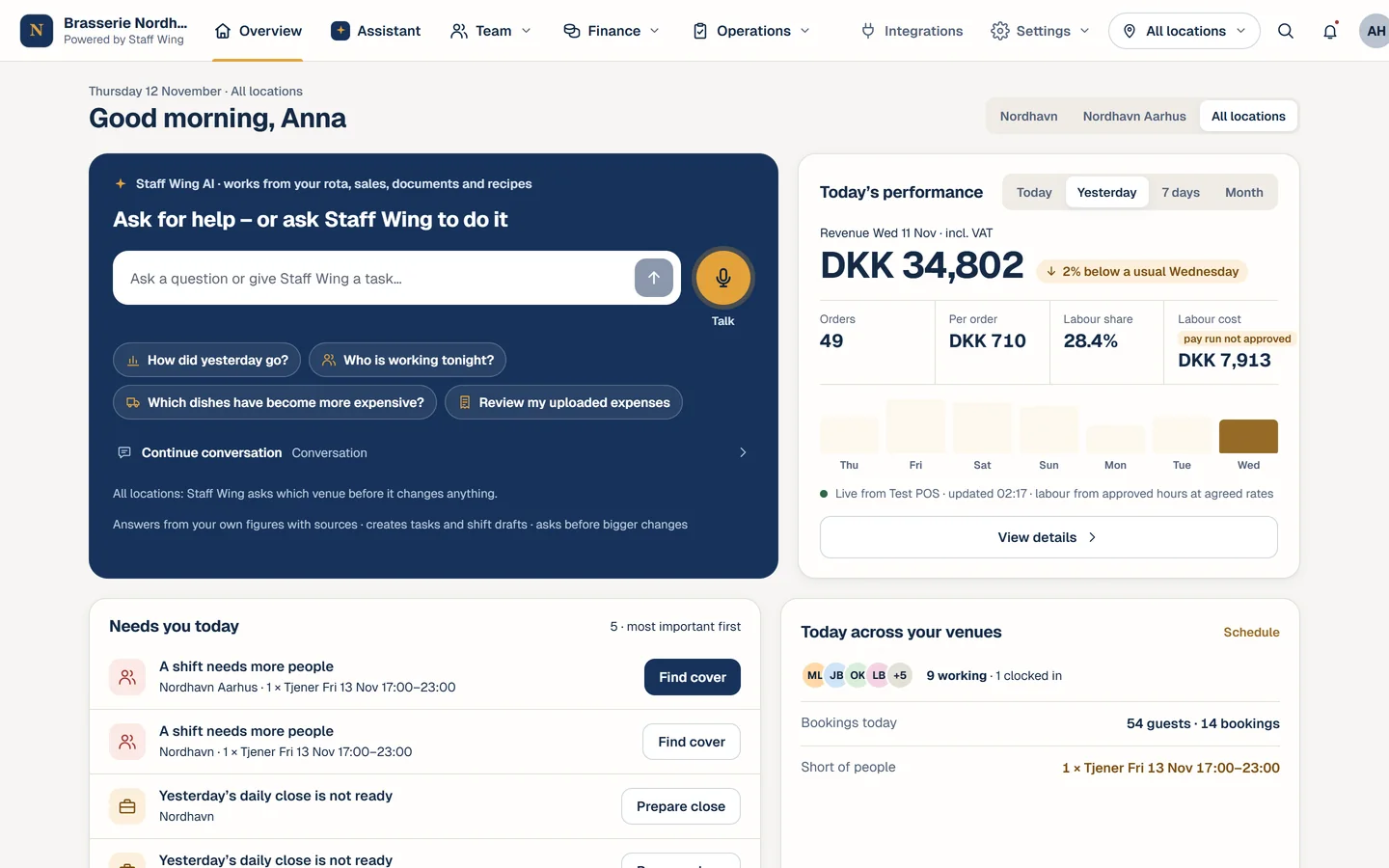
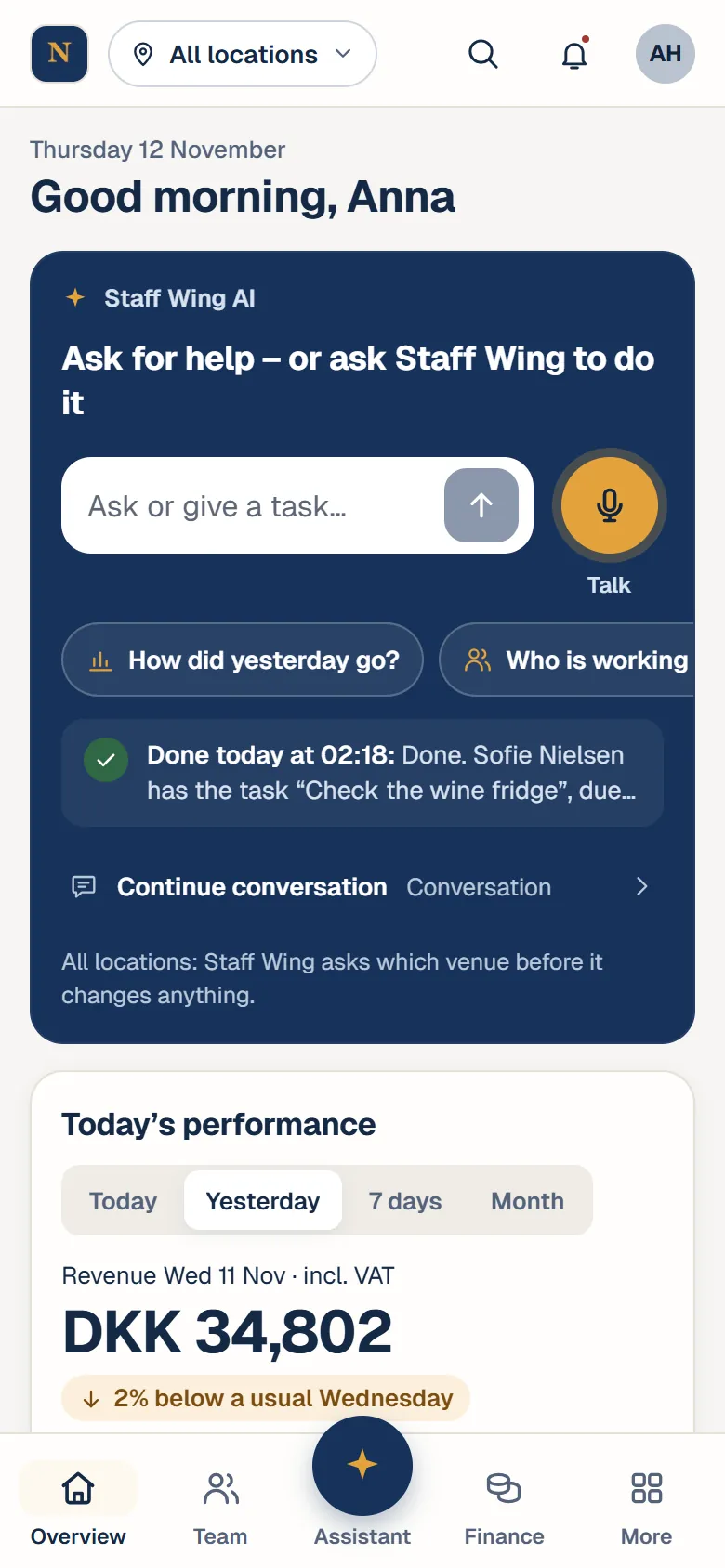
Today’s overview: Yesterday’s sales and what needs you today.
Staff Wing on a phone: today’s overview in the fictional demo restaurant
1/6Today’s overviewYesterday’s sales and what needs you today.

Real screens · fictional data

What Staff Wing does

One assistant. All of your operations connected.

The assistant ties it together. Underneath are the tools you use every day – and that it can answer from.

AI assistant

Ask about your business. Get answers from your own data.

  • Answers from your recordsSchedule, attendance, tasks, food safety checks, stock, recipes, daily closes and sales. Answers are based on what is recorded, and what is missing is never guessed.Operational data: restaurants. Hotels and shops: handbooks, documents and product catalogue.
  • Actions you controlCreate tasks for one employee or a whole team, draft a shift, prepare a shopping list or draft an announcement. Changes follow the same rules as in the app.Restaurants and hotels in Denmark.
  • Your knowledge, always at handEmployees ask about the closing procedure, allergens or how to request time off, and get answers from your approved handbooks and menus.
  • Talk to the assistantAsk with your voice and hear the answer in the voice of Jacqueline. The text stays on screen too.
  • Daily overviewA morning overview with yesterday’s figures, open shifts, stock and overdue checks – plus a list of what needs your attention today.Restaurants and hotels in Denmark.
More about the assistant

Team and planning

The schedule, the hours and the people in one place.

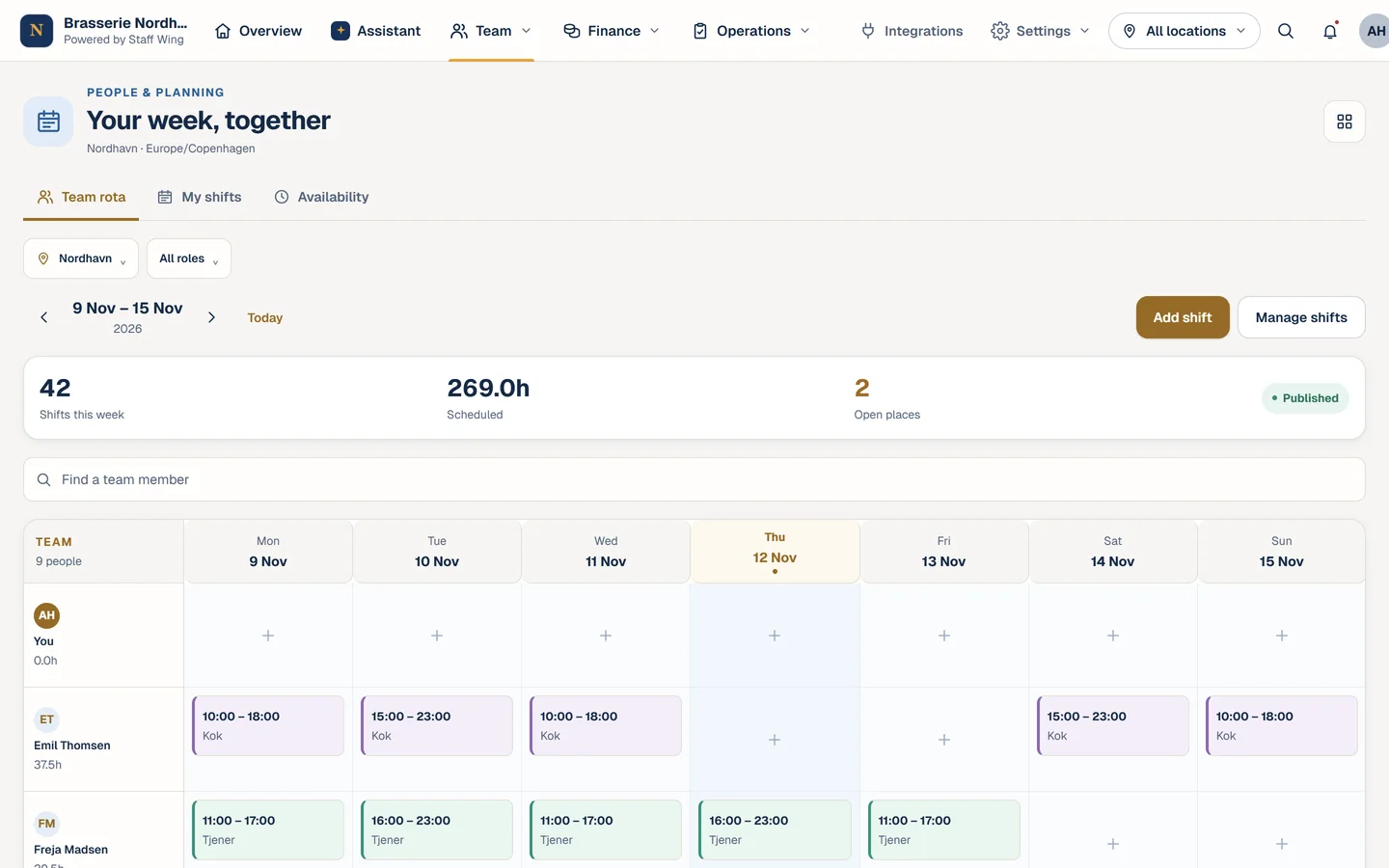
  • Scheduling
  • Availability, leave and shift swaps
  • Time clock and timesheets
  • Payroll and employee records
See the details

Daily operations

What needs doing gets done – and you can see it.

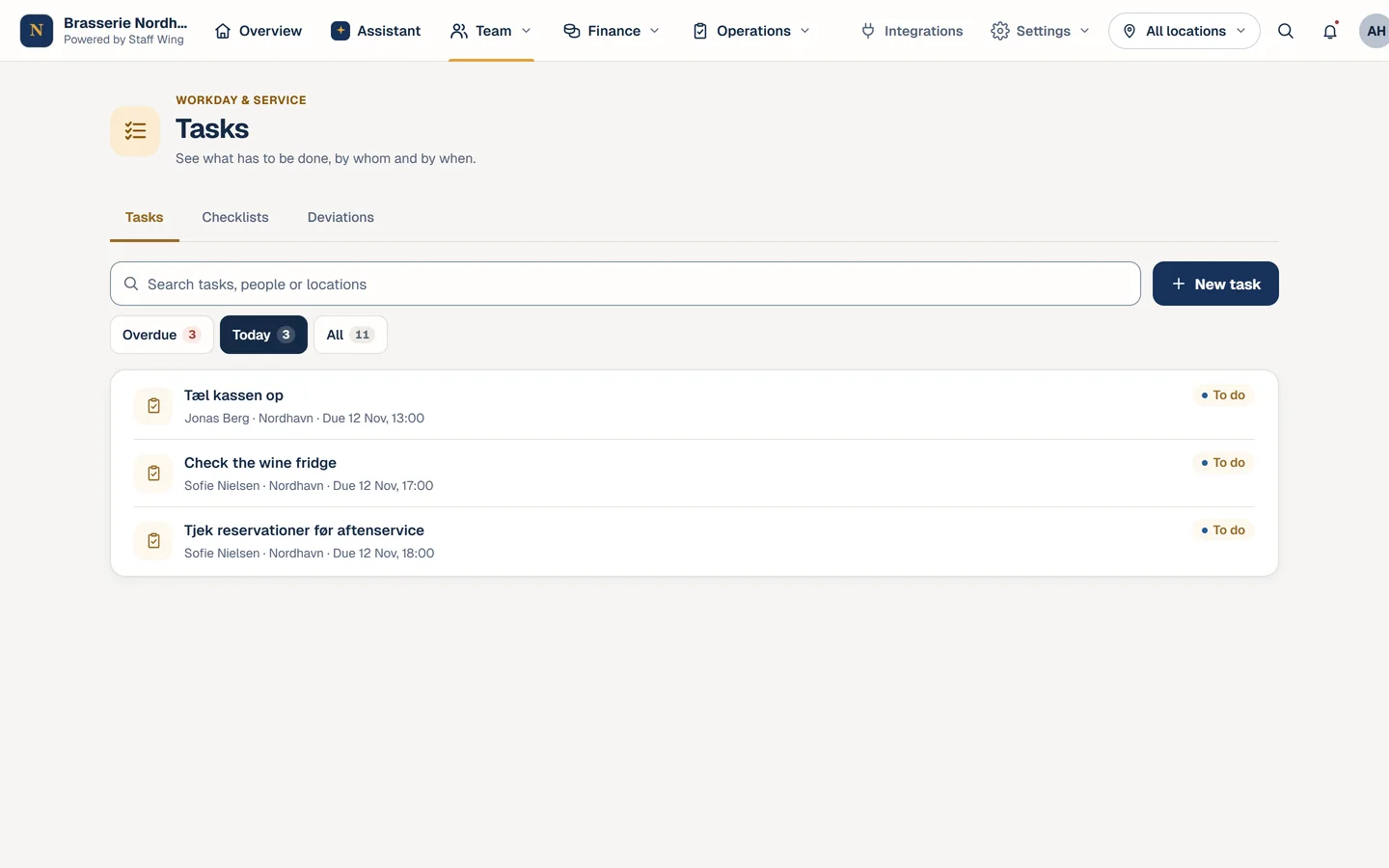
  • Tasks and routines
  • Food safety checks
  • Chat and announcements
  • Training and handbooks
See the details

Business overview

The numbers behind the day, without spreadsheets.

  • Food cost and recipes
  • Stock and suppliers
  • Daily close and sales
  • Table bookings
See the details

Everywhere

In your pocket – with the right permissions.

  • App for iPhone and Android
  • Multiple locations
  • Roles and permissions
  • Danish, English and Arabic
See the details

How the assistant works

Ask. Request it. See what happened.

You type or say it in your own words. The assistant answers from your records or carries out the action – and anything that changes something goes through the app’s own rules.

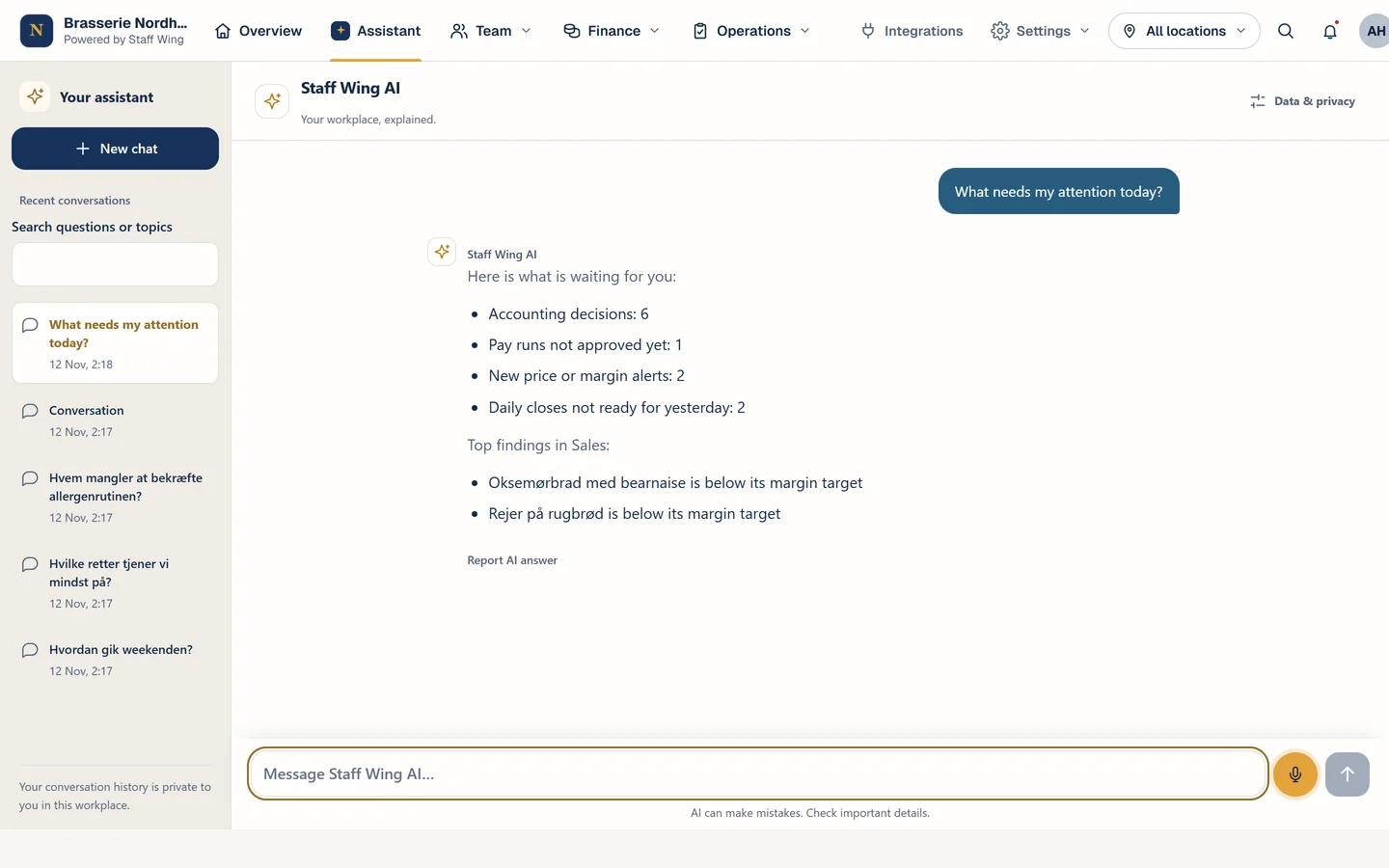
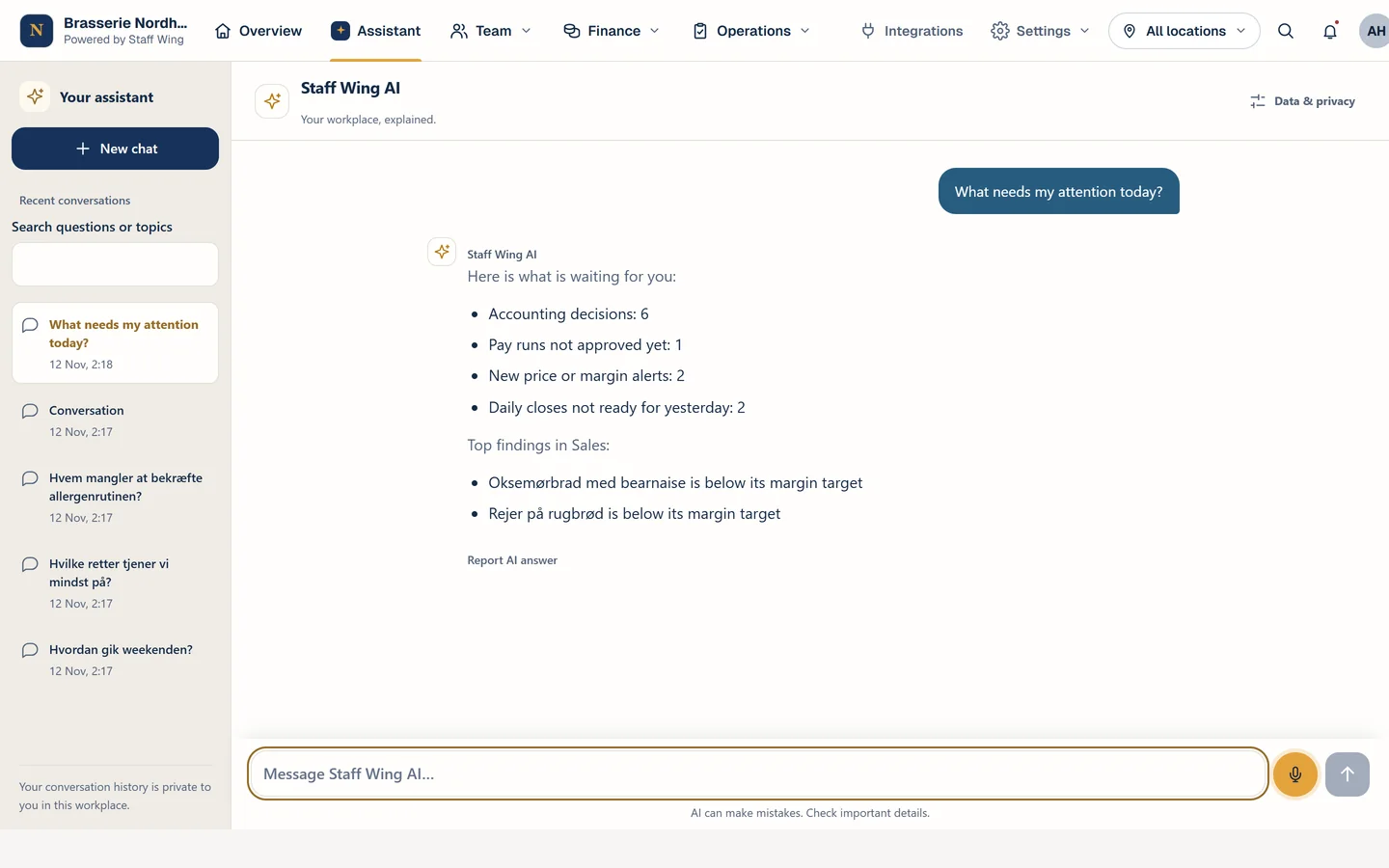
  1. The assistant answers “What needs my attention today?” with pending decisions, a pay run, price alerts and daily closes
    1

    Ask in your own words

    Type or talk – in Danish, English or Arabic. Answers are based on what is recorded, and if data is missing, the assistant says so.

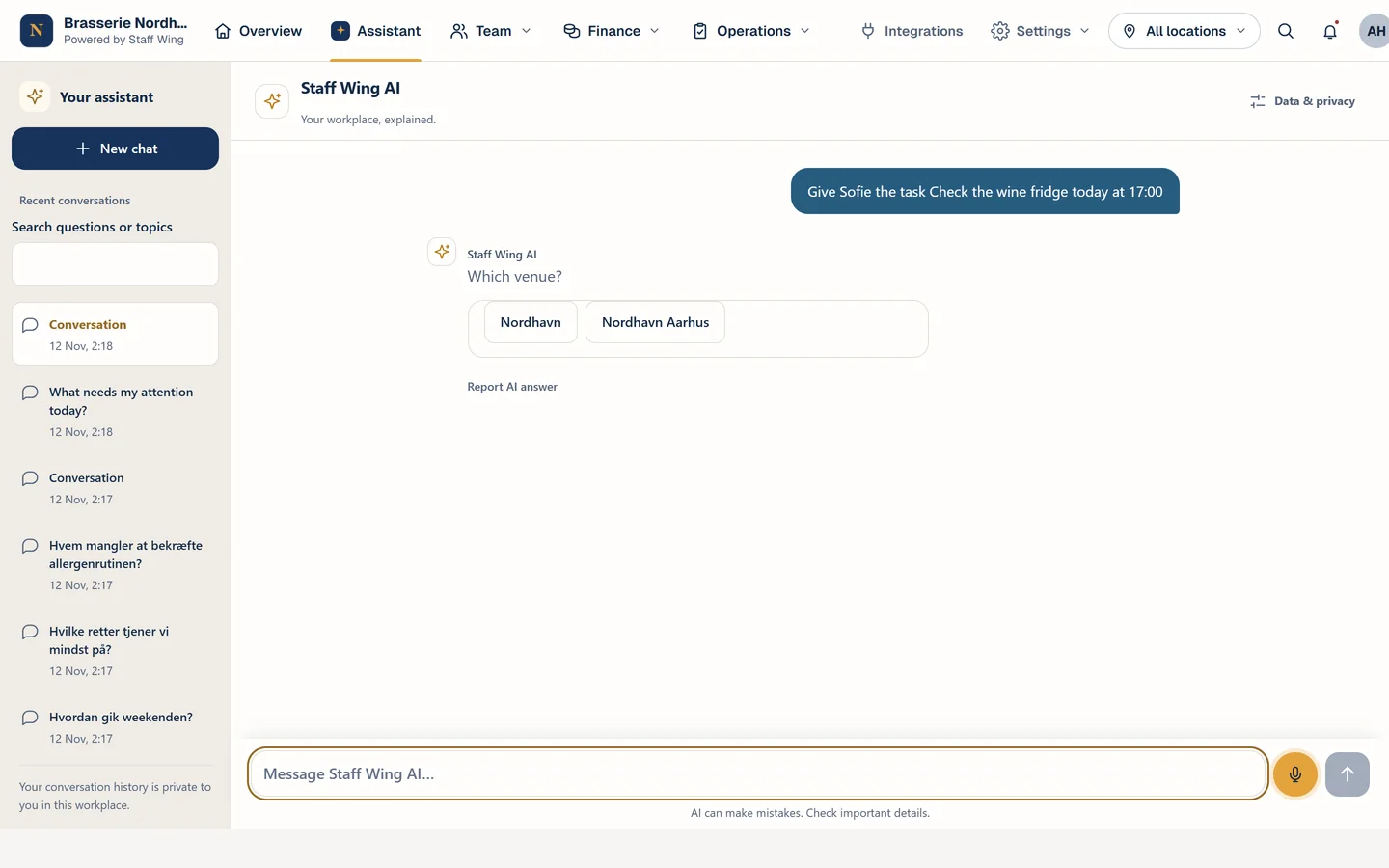
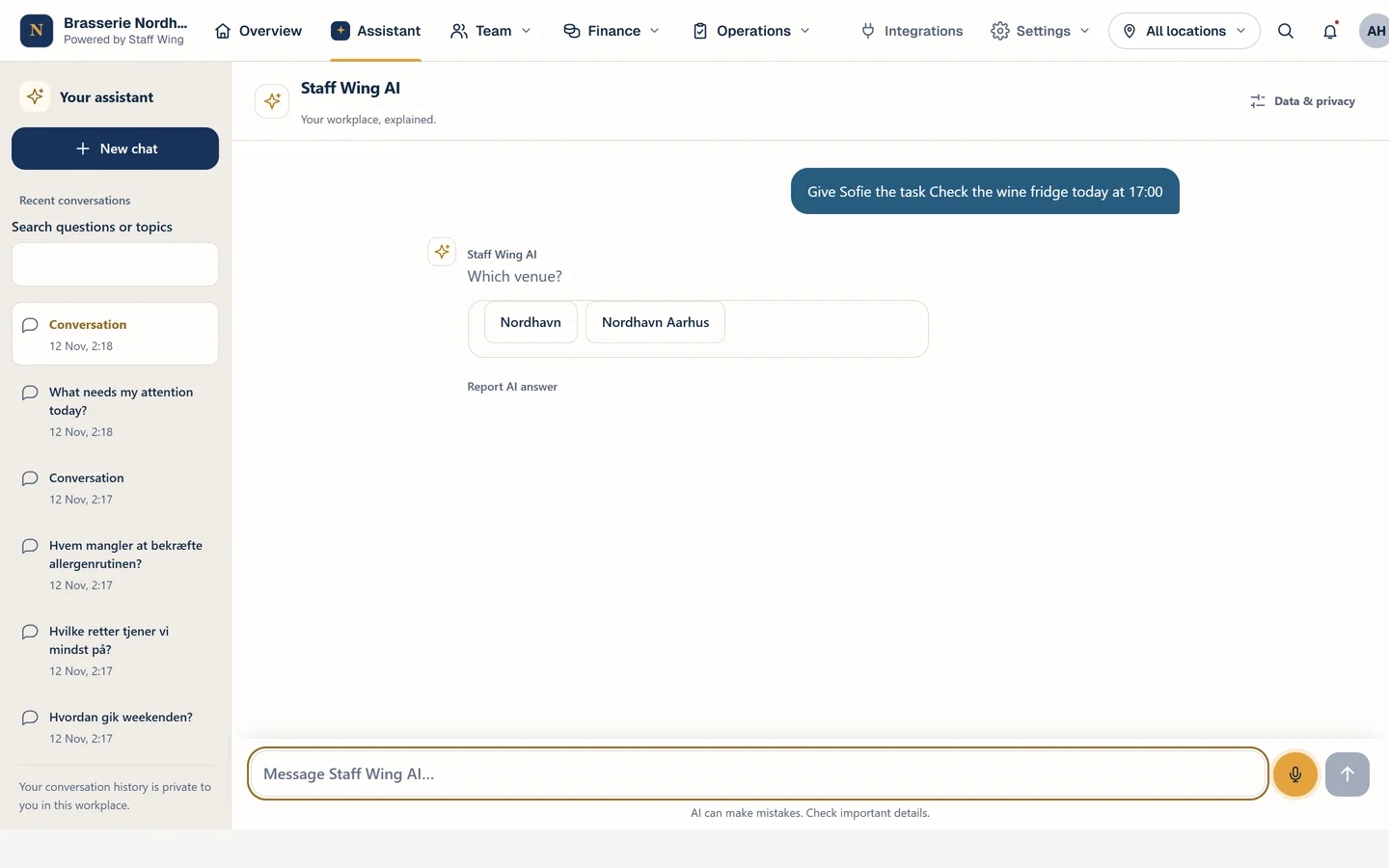
  2. The message “Give Sofie the task Check the wine fridge today at 17:00” and the assistant asking which venue it is for
    2

    Ask for an action

    If a detail is missing, the assistant asks – here, which venue the task is for. It does not guess.

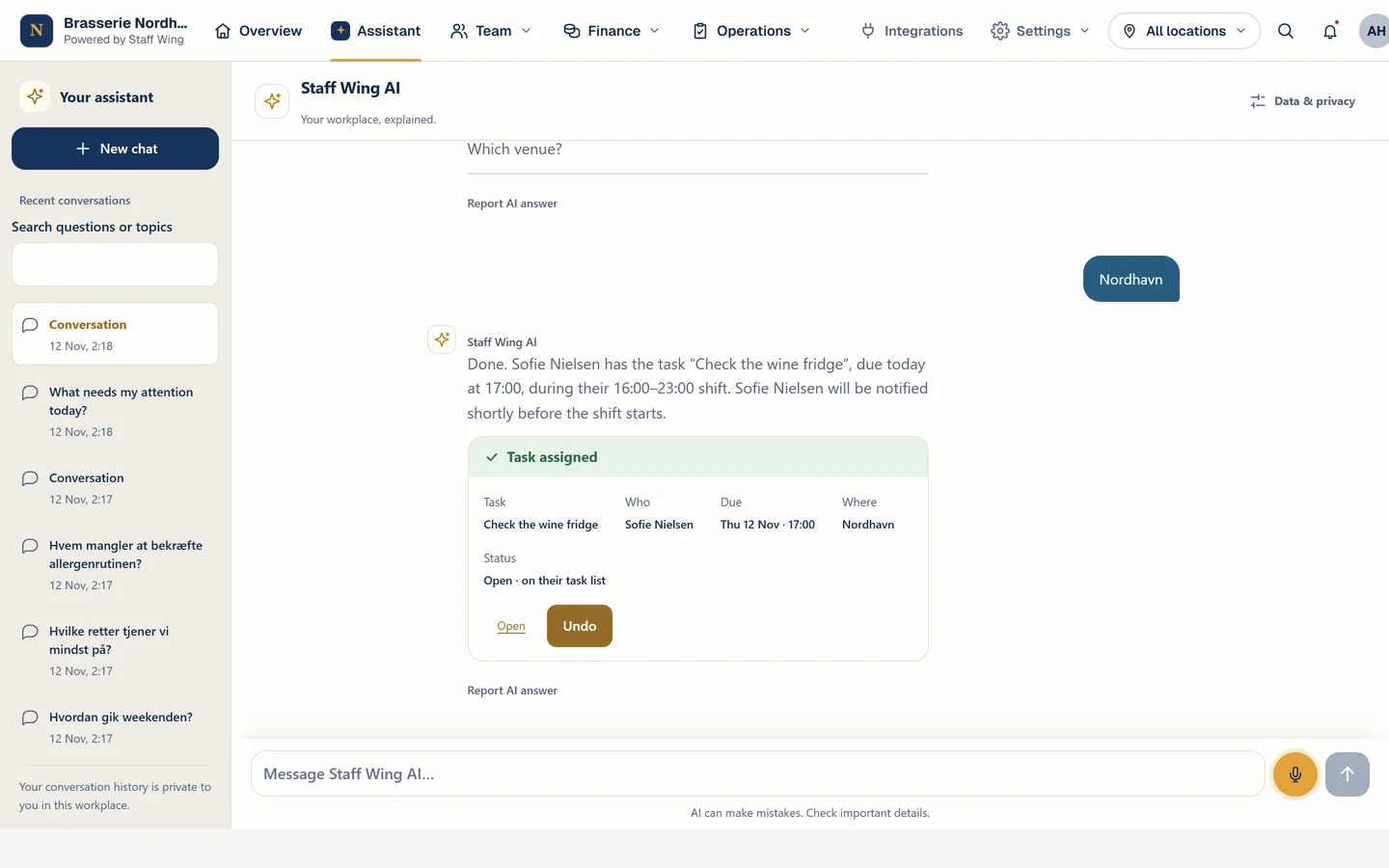
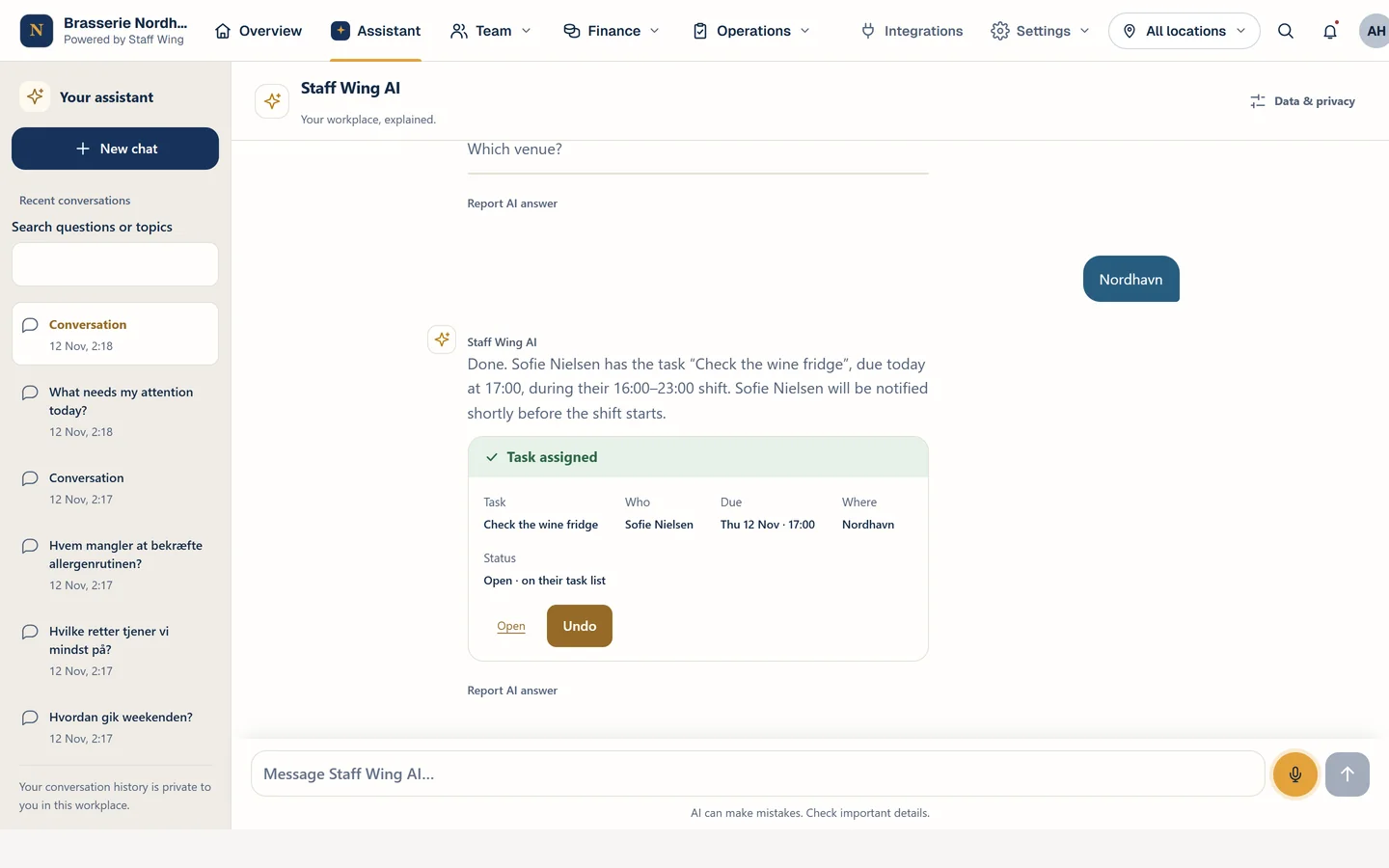
  3. The “Task assigned” receipt: Check the wine fridge, Sofie Nielsen, due 17:00, Nordhavn, with buttons to open or undo it
    3

    See what was assigned

    The task is assigned on the employee’s shift under the app’s rules. You can open it or undo it.

What you can ask today

  • QuestionWhich tasks haven’t been done tonight?Tasks, who owns them and the deadline – from your task list.
  • QuestionWho is on the schedule tomorrow evening?The published schedule, including shifts that are short of people.
  • QuestionWhich ingredients have gone up in price?Price changes from your recorded supplier prices.
  • QuestionWhat does our closing procedure say?An answer from your approved handbook, with its source.
  • ActionGive Sofie the task “check the wine fridge” on her next shift.The task is saved on her shift under the same rules as in the app.
  • ActionMake a shopping list for our greengrocer.A draft based on your target stock levels. Nothing is sent until you send it.

The examples apply to restaurants with operational data in Staff Wing. Hotels and shops get answers from their handbooks, documents and product catalogue.

Industries

Built for your kind of business.

Restaurants, cafés and bars

Ready for service. Every day.

The whole platform: scheduling, tasks and food safety, food cost and stock, daily close and sales – and an assistant that can answer from your operational data.

  • An assistant with access to your operational data
  • Food cost, recipes and stock
  • Food safety checks and daily close
Read more

Hotels

Every department. One team.

Reception, housekeeping, kitchen and restaurant in the same schedule and the same task management. The assistant answers from your approved handbooks and can create tasks and shift drafts.

  • Scheduling and tasks across departments
  • Training and handbooks
  • Restaurant tools for the hotel kitchen
Read more

Shops and clothing stores

Ready for customers. In every shop.

Scheduling, time clock, tasks and training for the shop team. The assistant answers product questions from your approved product catalogue and documents.

  • Product knowledge: materials, care and variants
  • Scheduling and time clock
  • Tasks and training in the shop
Read more

Getting started

From demo to your first schedule.

  1. 1

    Personal demo

    We show you Staff Wing based on your business and answer your questions.

  2. 2

    Set-up together with us

    Locations, roles, the first schedule and your most important documents. We bring over data from other systems where there is an export we can use.

  3. 3

    The team comes along

    Employees download the app, see their shifts and can ask the assistant questions from day one.

Pricing

All features. One price by team size.

Both plans include everything – including the AI assistant. The price depends only on how many active users you have.

Fewer than 30 employees

DKK 750/month excl. VAT

1–29 active users

All features included

Book a personal demo

Fewer than 50 employees

DKK 1,250/month excl. VAT

30–49 active users

All features included

Book a personal demo

50 employees or more

Price on request

We will agree a price that fits your size.

All features included

Contact us

Owners, managers and employees across all locations.

DKK 750/month excl. VAT for 12 users – fewer than 30 employees. All features included.

All features included

  • AI assistant with answers from your data
  • Actions: tasks, shift drafts, shopping lists
  • Voice with Jacqueline
  • Scheduling, leave and shift swaps
  • Time clock and timesheets
  • Tasks, routines and food safety checks
  • Chat, announcements and community
  • Training, handbooks and documents
  • Food cost, stock and daily close
  • Multiple locations and roles
  • App for iPhone and Android

Industry-specific tools follow your industry: food cost and food safety checks, for example, are for restaurants and hotels. Fair usage limits apply to AI and voice. Prices are per month excluding VAT, in Danish kroner.

Good questions

Questions and answers

Can’t find your question? Write to support@staff-wing.com or book a demo.

What is the difference between the two plans?

Only the number of active users. Both plans include every feature, including the AI assistant.

Who counts towards the number?

Every active user across your locations: owners, managers and employees. Deactivated users do not count.

We have 50 or more people. What does it cost?

We will agree a price that fits you. Book a demo or send us a request.

How does the assistant use our data?

It only answers from what the person asking has access to. Owners and managers choose whether the assistant may use operational data, and financial figures need a separate choice. Employees never see management figures through the assistant.

Can the assistant act on its own?

It creates tasks, shift drafts, shopping lists and draft announcements when you ask, and larger changes must be confirmed. It does not send orders, pay wages or publish anything by itself.

Can we use it on our phones?

Yes. Staff Wing is available as an app for iPhone and Android and also works in the browser.

Which systems can Staff Wing connect to?

Sales can be imported from your till system as a file. Direct connections to till, accounting and payroll systems depend on the system. We go through your systems in the demo and tell you honestly what works today.

How do we get started?

Book a personal demo. Then we set up your workspace together: locations, roles, the first schedule and your most important documents. We bring over data from other systems where there is an export we can use.

Are there limits on AI use?

Fair usage limits apply to AI and voice so the service runs reliably for everyone. The assistant is part of both plans.

How do you handle personal data?

We provide a data processing agreement, and every user gives their own consent before the AI features are used.

See Staff Wing with your working day in mind.

In a personal demo we show you the assistant and the tools based on your business – and tell you honestly what fits you.