Features
Everything Staff Wing does – and where it applies.
The assistant ties it together. Here are the tools underneath it, group by group, with an honest note of which industries each applies to.
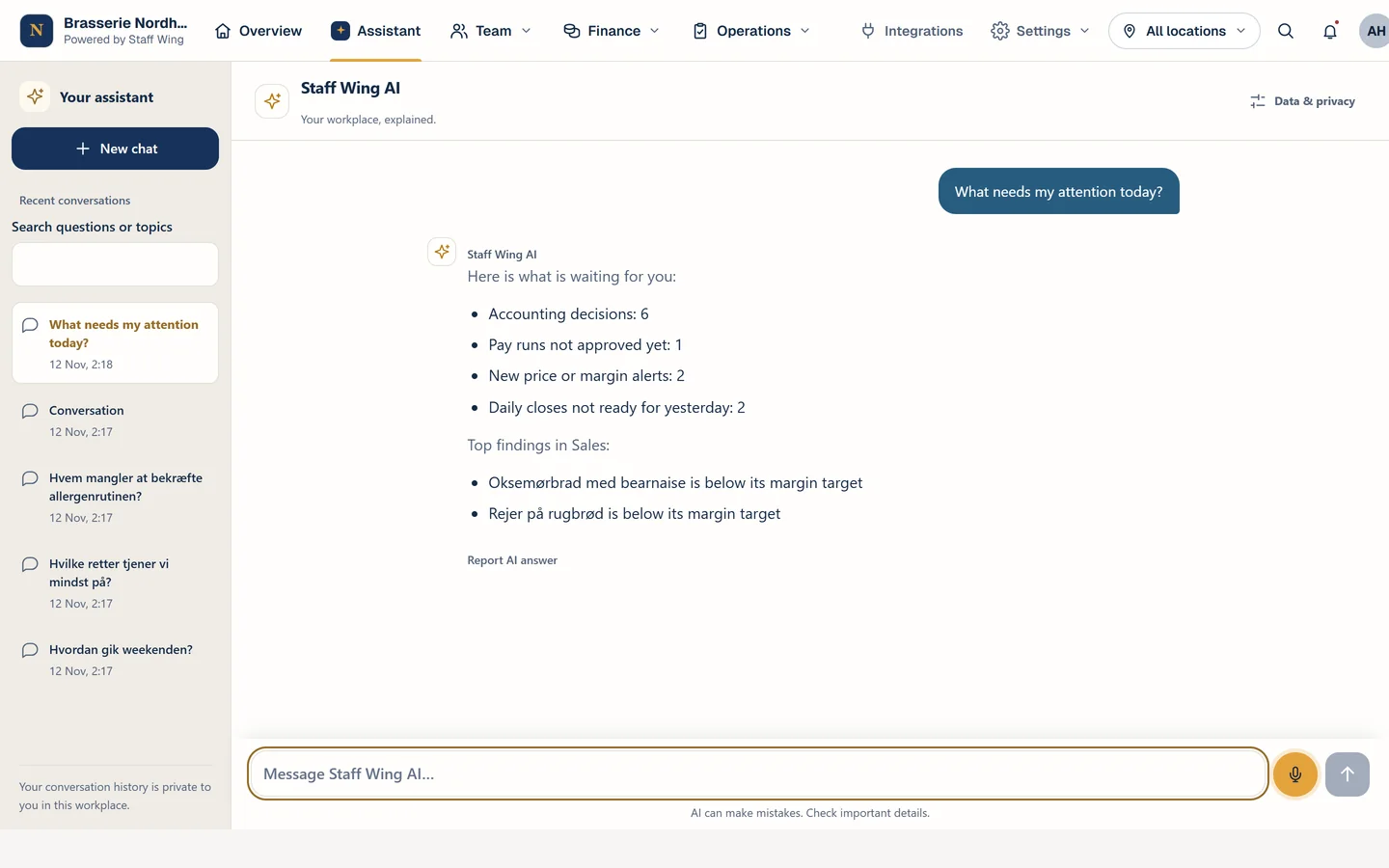
AI assistant
Ask about your business. Get answers from your own data.
The assistant answers from what is actually recorded in Staff Wing. It can also do the practical work for you when you ask.
- Answers from your records
- Schedule, attendance, tasks, food safety checks, stock, recipes, daily closes and sales. Answers are based on what is recorded, and what is missing is never guessed.Operational data: restaurants. Hotels and shops: handbooks, documents and product catalogue.
- Actions you control
- Create tasks for one employee or a whole team, draft a shift, prepare a shopping list or draft an announcement. Changes follow the same rules as in the app.Restaurants and hotels in Denmark.
- Your knowledge, always at hand
- Employees ask about the closing procedure, allergens or how to request time off, and get answers from your approved handbooks and menus.
- Talk to the assistant
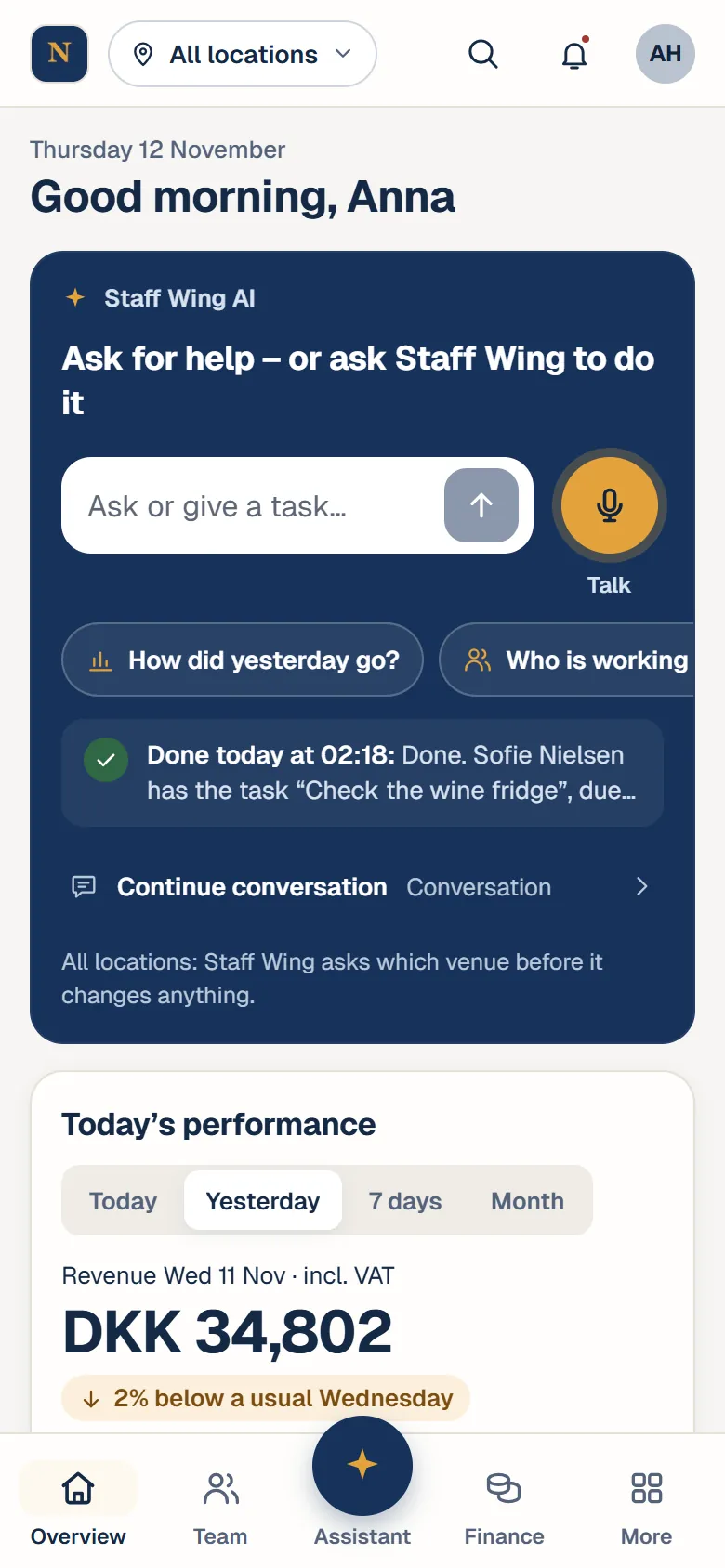
- Ask with your voice and hear the answer in the voice of Jacqueline. The text stays on screen too.
- Daily overview
- A morning overview with yesterday’s figures, open shifts, stock and overdue checks – plus a list of what needs your attention today.Restaurants and hotels in Denmark.
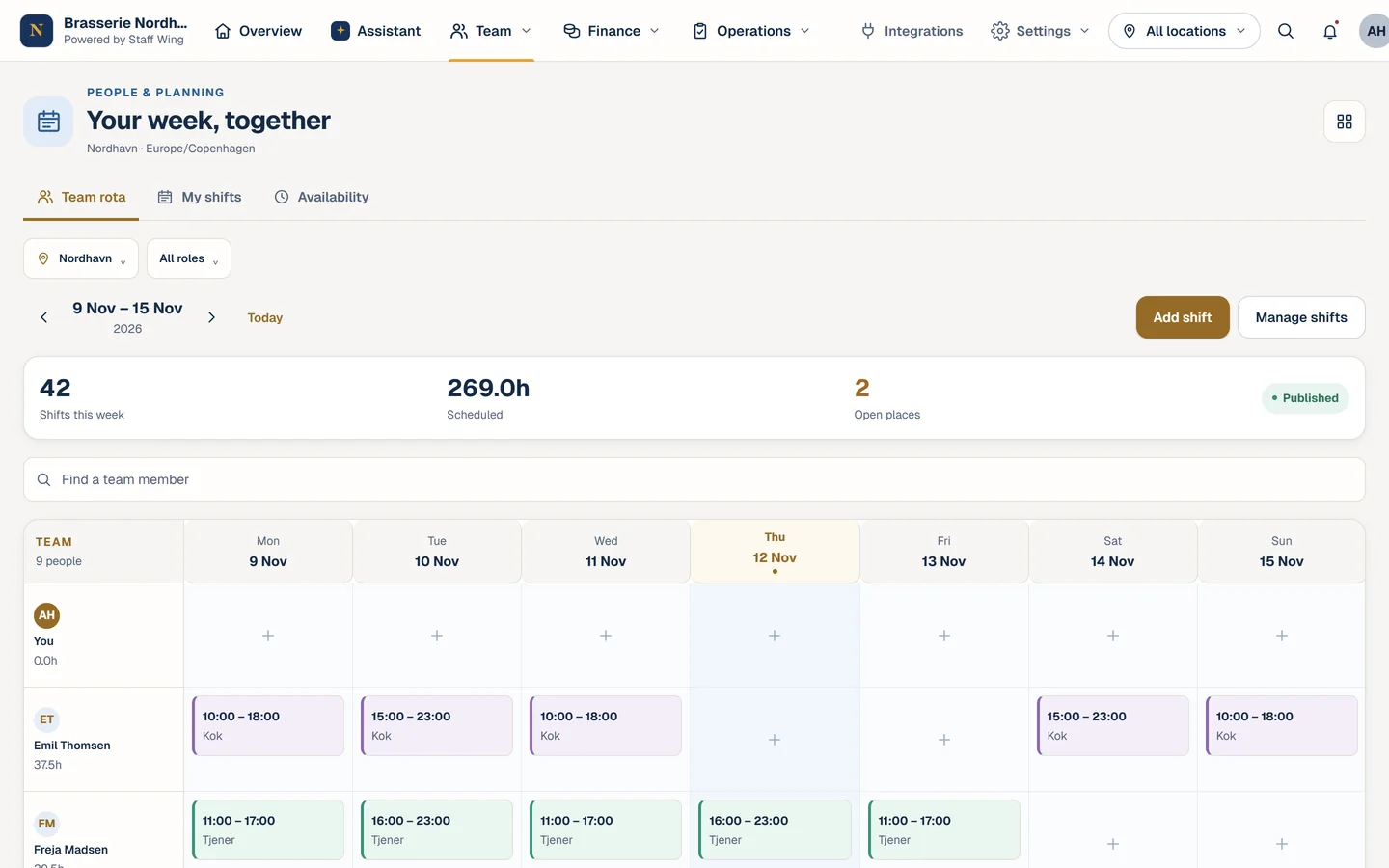
Team and planning
The schedule, the hours and the people in one place.
From schedule to approved hours: everyone knows when to show up, and you stay on top of the hours.
- Scheduling
- Plan the week, share it with the team and keep track of open shifts across locations.
- Availability, leave and shift swaps
- Employees share availability, request time off and swap shifts in the app. You approve.
- Time clock and timesheets
- Employees clock in and out on their phones. You review and approve the hours in one place.
- Payroll and employee records
- Prepare pay runs from approved hours, and employees find their payslips in the app. Contracts, certificates and HR requests together.Payroll: restaurants and hotels in Denmark.
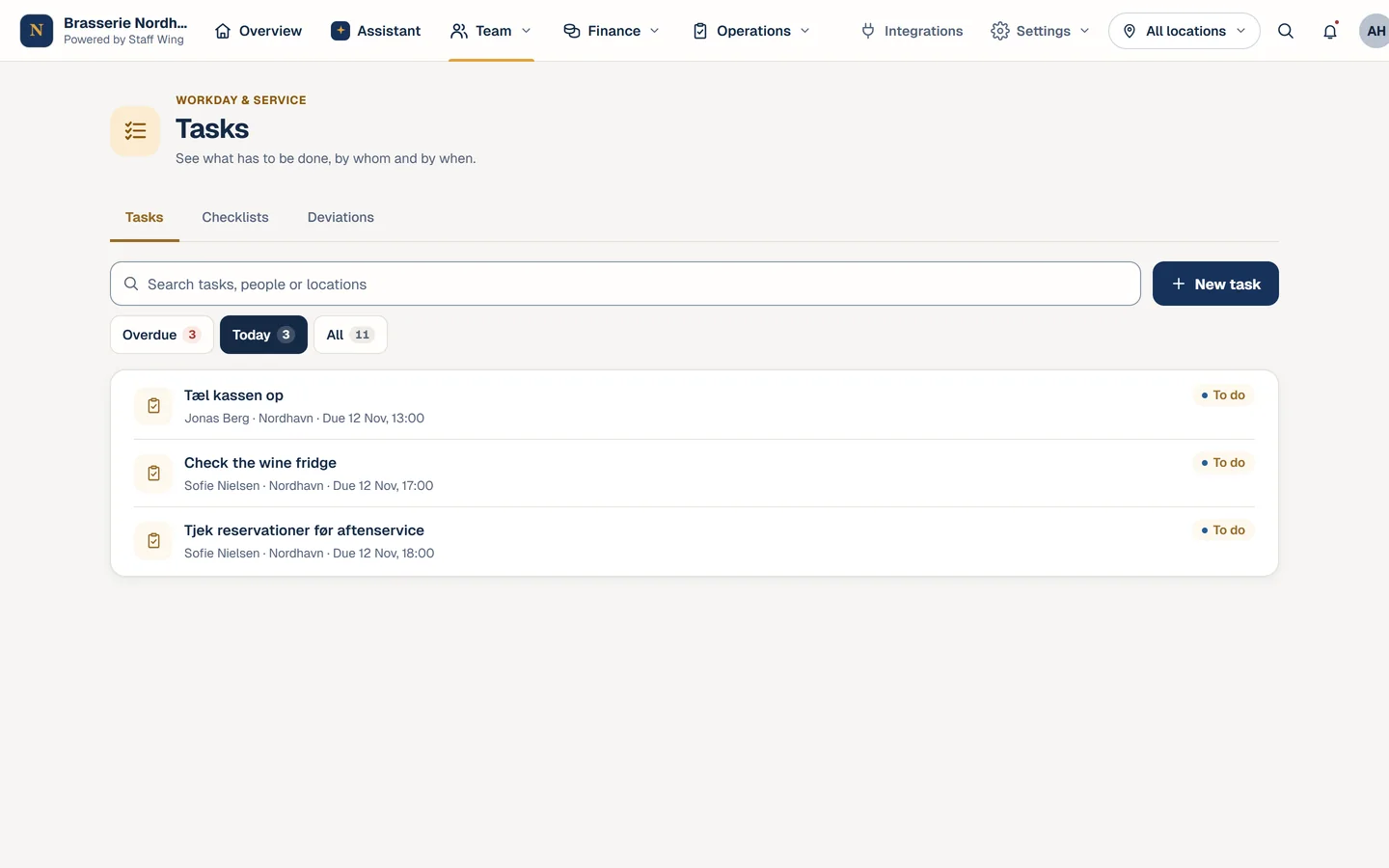
Daily operations
What needs doing gets done – and you can see it.
Tasks, routines and communication live in the same place as the shifts.
- Tasks and routines
- Opening and closing routines, checklists and tasks linked to the shift. See what is done and what is still open.
- Food safety checks
- Temperatures, cleaning and checks planned and recorded – with an overview of what is overdue.Restaurants and hotels.
- Chat and announcements
- Direct messages, team chats and announcements to the whole team, right next to the schedule.
- Training and handbooks
- Courses, handbooks and documents that are easy to find. See who still needs to complete their training.
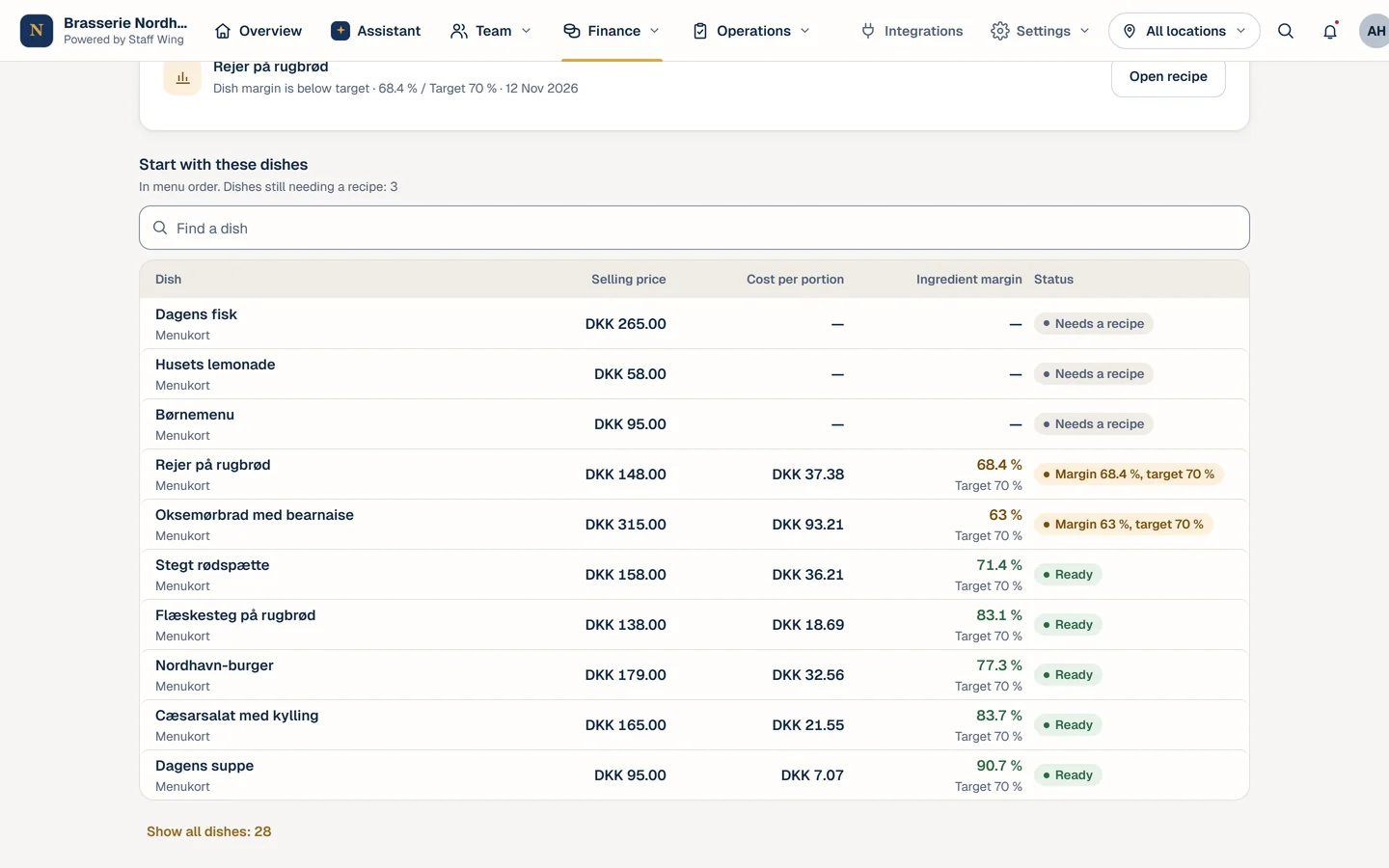
Business overview
The numbers behind the day, without spreadsheets.
For restaurants: from ingredient prices to the daily close, so you can see where the money goes.
- Food cost and recipes
- Ingredient prices from invoices, recipes and cost per portion. See the ingredient margin of each dish and get notified when an ingredient goes up.Restaurants.
- Stock and suppliers
- Stock counts, supplier prices and draft orders based on your target stock levels. You send the order yourself.Restaurants.
- Daily close and sales
- The daily close, cash reconciliation and sales from your till system or an import – with insights when something changes.Restaurants and hotels in Denmark. Sales figures need data from your till system.
- Table bookings
- Reservations and a booking page for your guests in the same app.Restaurants and hotels in Denmark.
Everywhere
In your pocket – with the right permissions.
The same workspace on phone and computer, and everyone sees only what they should.
- App for iPhone and Android
- Shifts, tasks, chat and the assistant on your phone. Get the app on the App Store or Google Play.
- Multiple locations
- One account for all your sites. Plan, follow up and compare across them.
- Roles and permissions
- Owners, managers and employees see different things. Employees never get management figures through the assistant.
- Danish, English and Arabic
- Every employee can use the app in their own language.


Demo
See how it all fits together.
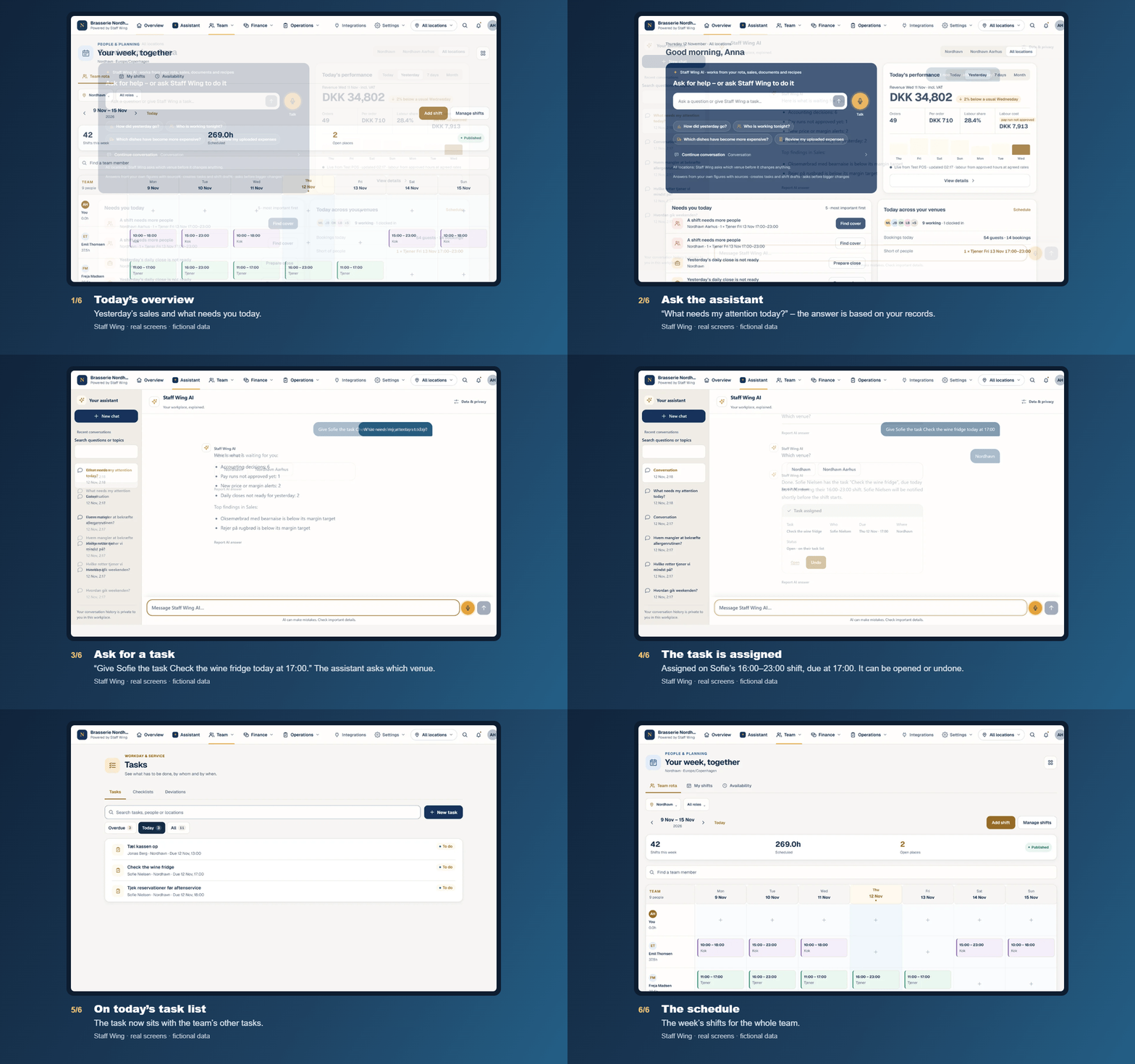
Six real screens from a fictional Danish demo restaurant: the overview, a question to the assistant, a task and the schedule. No sound.
To be clear
What the assistant does not do.
- It does not send orders, pay bills or approve payroll.
- It does not publish announcements, menus or schedules by itself.
- It does not guess: if a record is missing, it says so.
- It does not give employees access to management figures.
- Tasks the assistant follows up on by itself in the background are in a pilot and not yet part of the standard plans.
See Staff Wing with your working day in mind.
In a personal demo we show you the assistant and the tools based on your business – and tell you honestly what fits you.